
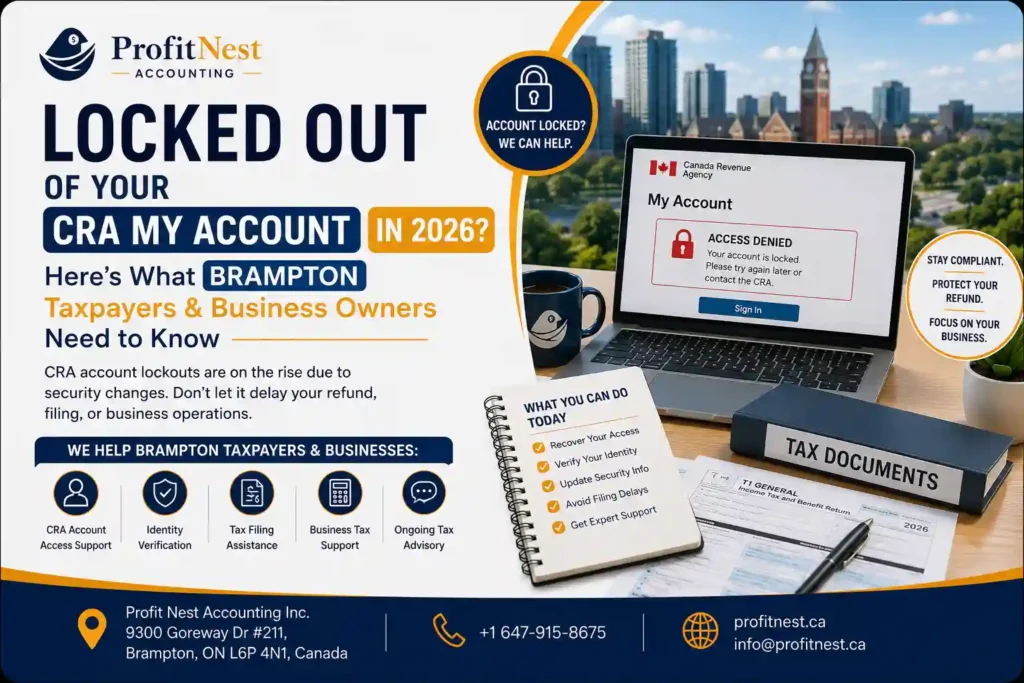
If you tried logging into your CRA My Account or My Business Account recently and got hit with an “Account Locked” message, you’re far from alone. Since the CRA rolled out mandatory backup multi-factor authentication (MFA) in early 2026, lockouts have spiked — and for Brampton business owners in the middle of a filing deadline, that message can feel like a mini financial emergency. Here’s what’s actually going on, how to fix it yourself, and when it’s time to just hand the problem to someone local who deals with the CRA every day.
If you’ve typed “best tax accountant in Brampton Ontario” into Google more than once this year, you’re not alone — and you’re asking the right question at the right time. 2026 has brought tighter CRA scrutiny, updated GST/HST thresholds, and more digital-first filing expectations. Picking the wrong accountant (or sticking with a mediocre one out of habit) isn’t just inconvenient anymore. It’s expensive.
Personal vs. corporate tax filing isn’t just a paperwork technicality — it determines how much tax you owe, what you can deduct, and how exposed your personal assets are if things go wrong.
Why CRA Lockouts Are Happening in 2026
Starting February 2026, the CRA began requiring every My Account and My Business Account user to register a backup MFA method — not just a primary one. The idea is simple: if your phone number changes, you lose your authenticator app, or you misplace your passcode grid, you shouldn’t be locked out of your own account. In practice, the rollout has caught a lot of people off guard, especially small business owners who log in only a few times a year and had no idea the rule existed until they were staring at a locked screen mid-filing.
Wait — Am I "MFA Locked" or "Fraud Locked"? (The Term Everyone Mixes Up)
This is where most people get confused, and it genuinely matters because the fix — and the timeline — is completely different depending on which one you’re dealing with.
MFA Backup Lockout | Fraud-Suspected Lockout | |
What triggers it | No backup MFA on file, or a failed login attempt with your primary method | CRA’s system flags suspicious activity (new device, VPN, unusual location) |
How you’ll know | A prompt to set up a backup method, or a standard “verify your identity” screen | A message saying a security code will be mailed to your address on file |
Typical fix time | Minutes, if you have your Notice of Assessment or SIN handy | Up to 10 business days for the mailed code to arrive |
Can you self-fix it? | Yes, in most cases | Only by waiting for the mailed code — no shortcuts |
Filing deadline risk | Low, if caught early | High — this is the one that actually delays returns |
If you’re seeing the mailed-code message and you’re days from a deadline, that’s the scenario where getting a local accountant involved actually saves you money — not just time.
How to Fix an MFA Lockout: Authenticator App vs. Passcode Grid
The CRA gives you two backup options:
- Authenticator app (like Google Authenticator or Microsoft Authenticator): Generates a rotating one-time code on your phone. Faster to use long-term, but you need to set it up before you’re locked out — it can’t fix an active lockout the same day if you’ve never used it.
- Passcode grid: A printable or downloadable grid of codes you keep somewhere safe. No app required, works even without a smartphone, but if you lose the physical/digital copy, you’re back to square one.
Our recommendation: set up both. It takes about five minutes and means you’ll never be stuck relying on a single point of failure again.
If you’re currently locked out and need to get back in:
- Have your Social Insurance Number and most recent Notice of Assessment ready — it’s the CRA’s go-to identity check.
- Try your primary MFA method again before assuming the worst — a lot of “lockouts” are just a mistyped code.
- If prompted for a backup method you haven’t set up, follow the on-screen setup — this resolves most cases immediately.
- If you’re told a security code is being mailed, don’t wait around hoping it fixes itself faster — start preparing your return with whatever records you have, so you’re ready to file the moment access is restored.
What If You're Mid-Filing and Locked Out?
This is the situation that actually costs money. If you’re self-employed with a September instalment due, or a corporation with a filing deadline days away, sitting on a 10-business-day mail wait isn’t really an option.
Here’s the honest answer: a lockout on your CRA account doesn’t have to stall your filing. A registered accountant with authorized representative access (through CRA’s Represent a Client system) can often view and manage your account, file on your behalf, and communicate with the CRA directly — without waiting for your personal login to be restored. This is one of the more overlooked reasons small business owners in Brampton keep an accountant on retainer instead of going it alone.
Match Your Situation to the Right Kind of Help
Not everyone locked out of their CRA account needs the same level of support. Here’s a quick way to think about it:
- Self-employed / sole proprietor: You mainly need someone to keep your personal tax filing and GST/HST on track while your account access gets sorted — usually the fastest, lowest-cost fix.
- Incorporated business: You’re juggling both My Business Account and payroll/corporate tax deadlines, so a lockout hits harder. This is where combined bookkeeping and corporate tax support pays for itself.
- High-net-worth individual: Beyond just regaining access, you likely want someone reviewing the bigger picture — instalments, RRSP/FHSA room, and year-end planning — while the account issue gets resolved, so nothing else slips through the cracks.
This is exactly the kind of situation Profitnest handles for clients across Brampton, Mississauga, and the GTA — bookkeeping, personal tax, corporate tax, GST/HST, and payroll under one roof, so a CRA login hiccup never turns into a missed deadline.
Frequently Asked Questions
Why is my CRA account suddenly locked in 2026?
How long does a CRA account lockout usually last?
Can I still file my taxes if I'm locked out of CRA My Account?
What's the difference between the authenticator app and the passcode grid?
I run a small business in Brampton — do I need to worry about My Business Account too?
Should I just call the CRA or get an accountant to help?
Conclusion
CRA account lockouts aren’t going away in 2026 — if anything, expect the backup MFA requirement to tighten further as the CRA leans into stronger security. The good news is that most lockouts are avoidable with five minutes of setup, and even the trickier fraud-flagged ones don’t have to derail your filing if you’ve got the right support in place.
Whether you’re self-employed, running an incorporated business, or just tired of CRA’s login screen getting between you and your refund, Profitnest’s Brampton-based team can step in, sort out the access issue, and keep your filing on schedule — so a login problem never becomes a tax problem.